
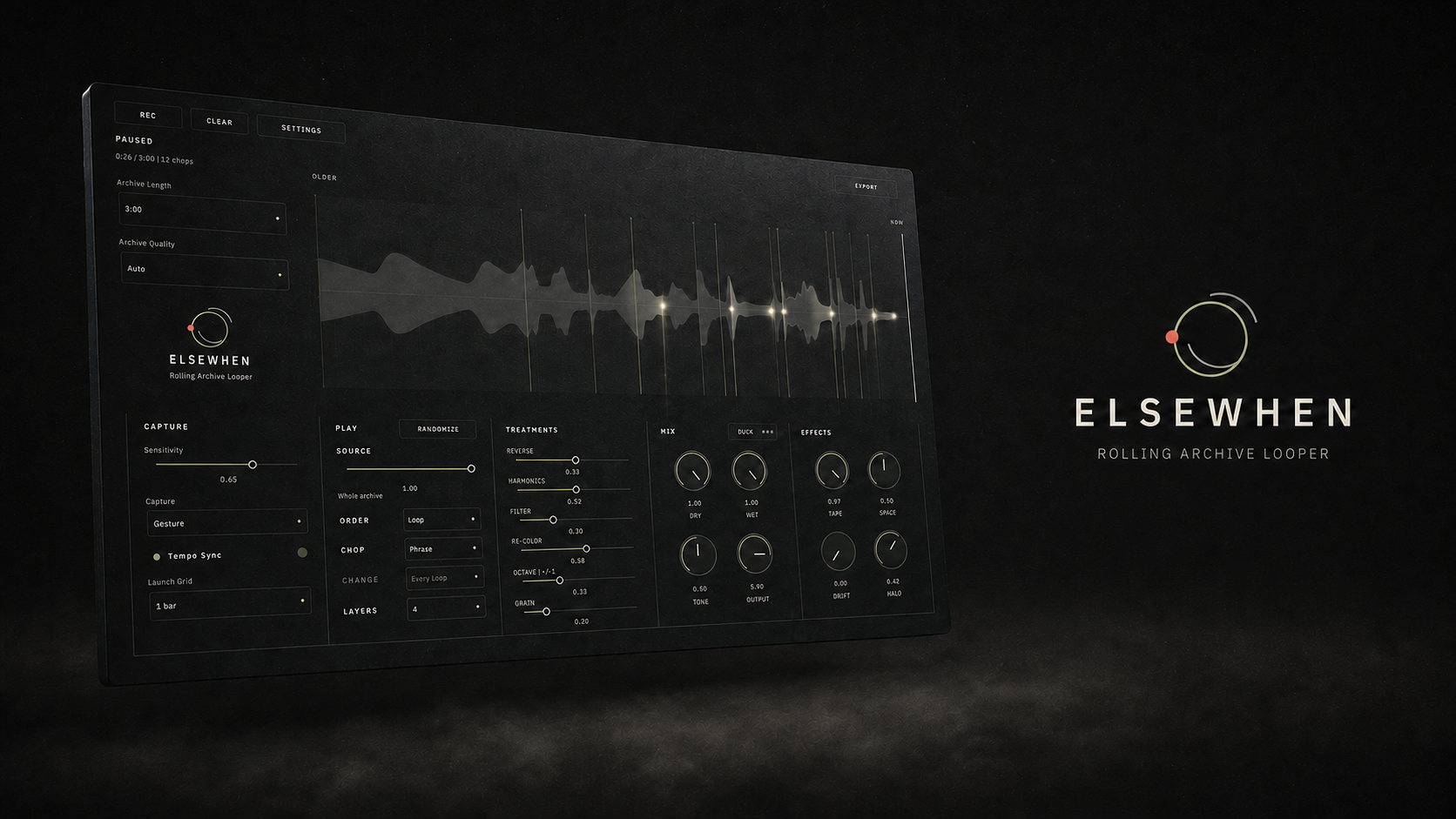
 Image 1 of 3
 Image 2 of 3
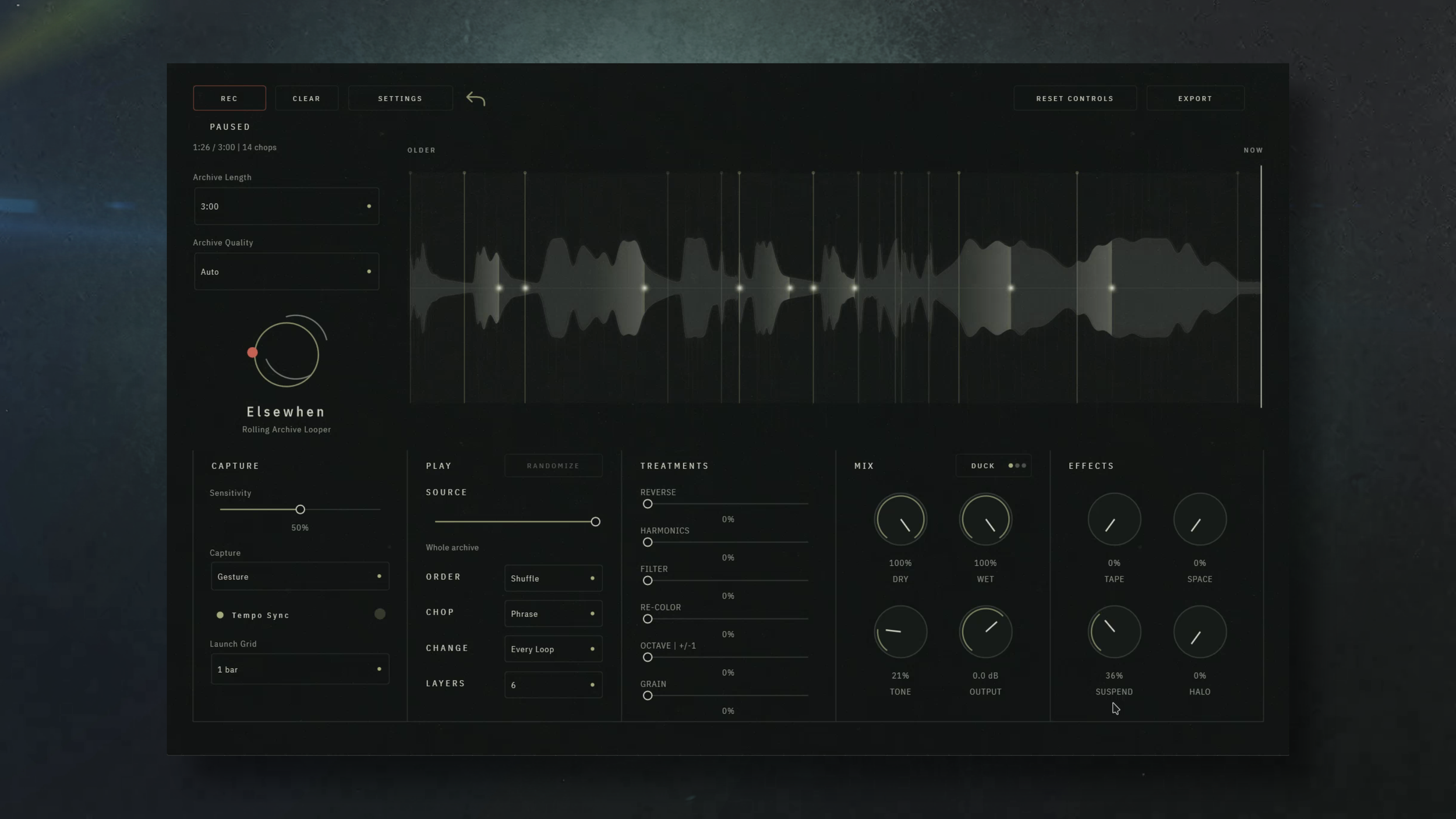 Image 3 of 3
An atmosphere made from your own playing.
Play a few notes on piano or guitar. Elsewhen reshapes your performance into looping textures that evolve as you keep playing.
Play a phrase. Hear it come back.
Start with a sparse piano motif or a few plucked notes. Leave space for a reversed swell, a grainy cloud, or an unexpected rhythm to answer you.
Gesture
Follows attacks, decays, and pauses to find phrases in your playing. Try it with sounds that have clear starts and endings.
Grid
Captures fixed divisions from an eighth note to two bars. Use it when you want regular rhythmic slices.
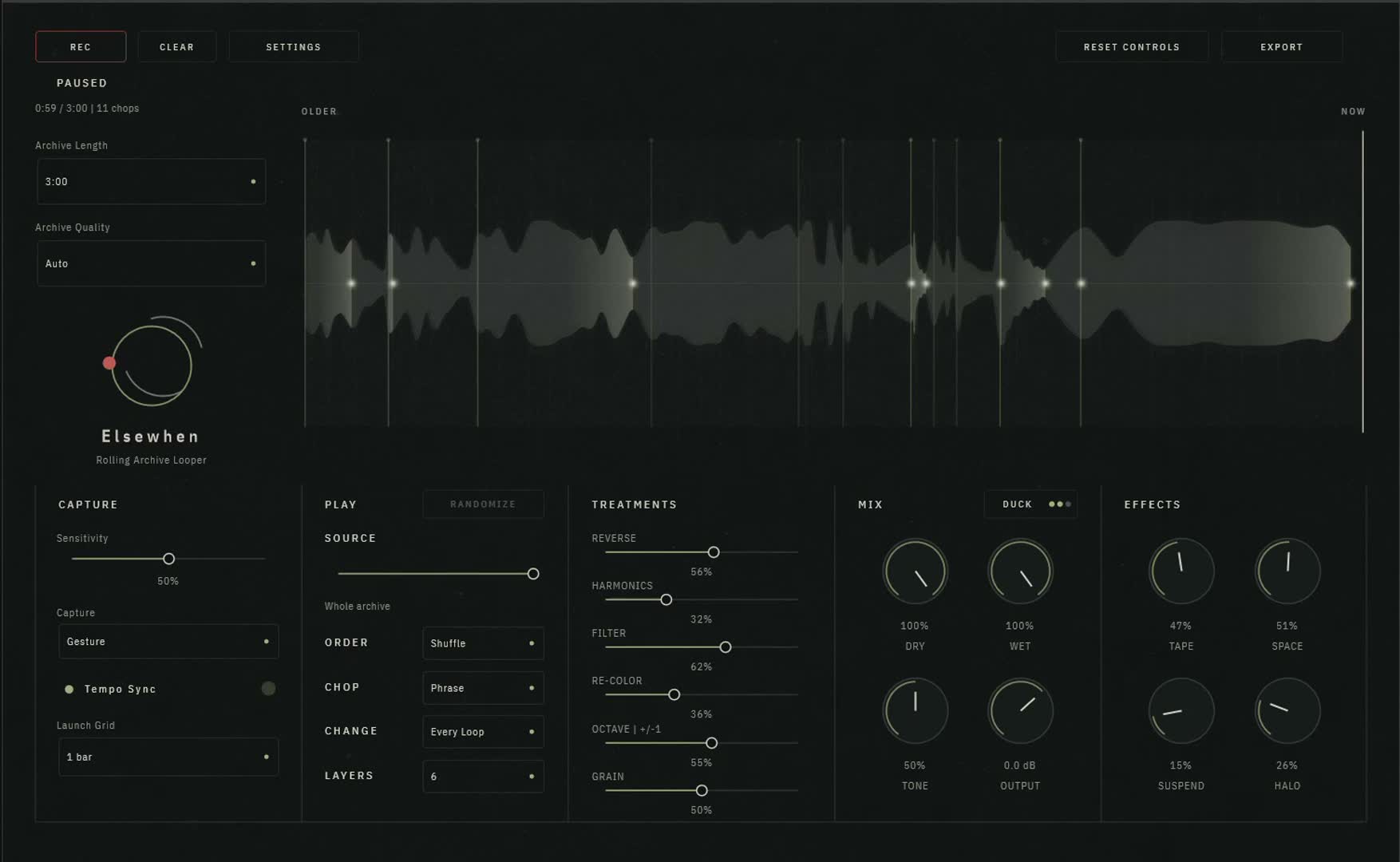
Six ways to reshape a phrase
Treatments reshape the audio of each chop individually before the chops are mixed together. One piano note might return as a backward swell while the next comes back an octave higher. You set how often each treatment appears.
Reverse
Turn a fading note into a backward swell.
Harmonics
Rebuild the phrase from its overtones for a more synthetic voice.
Filter
Use resonant low-pass or high-pass filtering to darken or thin a fragment.
Re-Color
Change the resonance while keeping the original pitch.
Octave
Bring the fragment back an octave up or down.
Grain
Scatter the phrase into a cloud of overlapping grains.
Keep the parts that surprise you.
Loop a favorite or let Shuffle pull fresh material from the archive. Hold a fragment while you play, then drag a 24-bit WAV of the performance into your DAW. Your saved project recalls the archive.
Effects and mix controls
- Tape
- Adds saturation, softened highs, and pitch movement from wow and flutter.
- Space
- Diffuses the loop into a wider, damped reverb tail.
- Suspend
- Blurs moving fragments into overlapping grains. Held chops keep their shape.
- Halo
- Adds a bright reverb bloom around the loop.
- Tone
- Shapes the tonal balance of the accompaniment.
- Duck
- Lowers the accompaniment while you play. Choose Soft, Middle, or Deep.
- Dry, Wet, and Output
- Balance live input and archive playback independently, then set the combined level.
Capture and playback controls
- Gesture sensitivity
- Adjust how readily Gesture detects a new phrase. Short chops can start on detected attacks. Playback can start while a phrase is still being recorded.
- Tempo and timing
- Gesture also works with tempo sync. Shuffle can change every loop, every bar, every two bars, or on silence.
- Archive and Source Range
- Keep 30 seconds to 10 minutes. Focus on recent material or open playback to the whole archive.
- Chop and Layers
- Play complete phrases or shorter slices, with up to eight layers.
Compatibility
Windows · VST3 on Windows 10 or later (64-bit).
macOS · VST3 and Audio Units (AU) on macOS 13 or later, for Intel and Apple silicon.
Matching mono or stereo input and output. No sample library required. No MIDI input or output. AAX unsupported.