
 Image 1 of 3
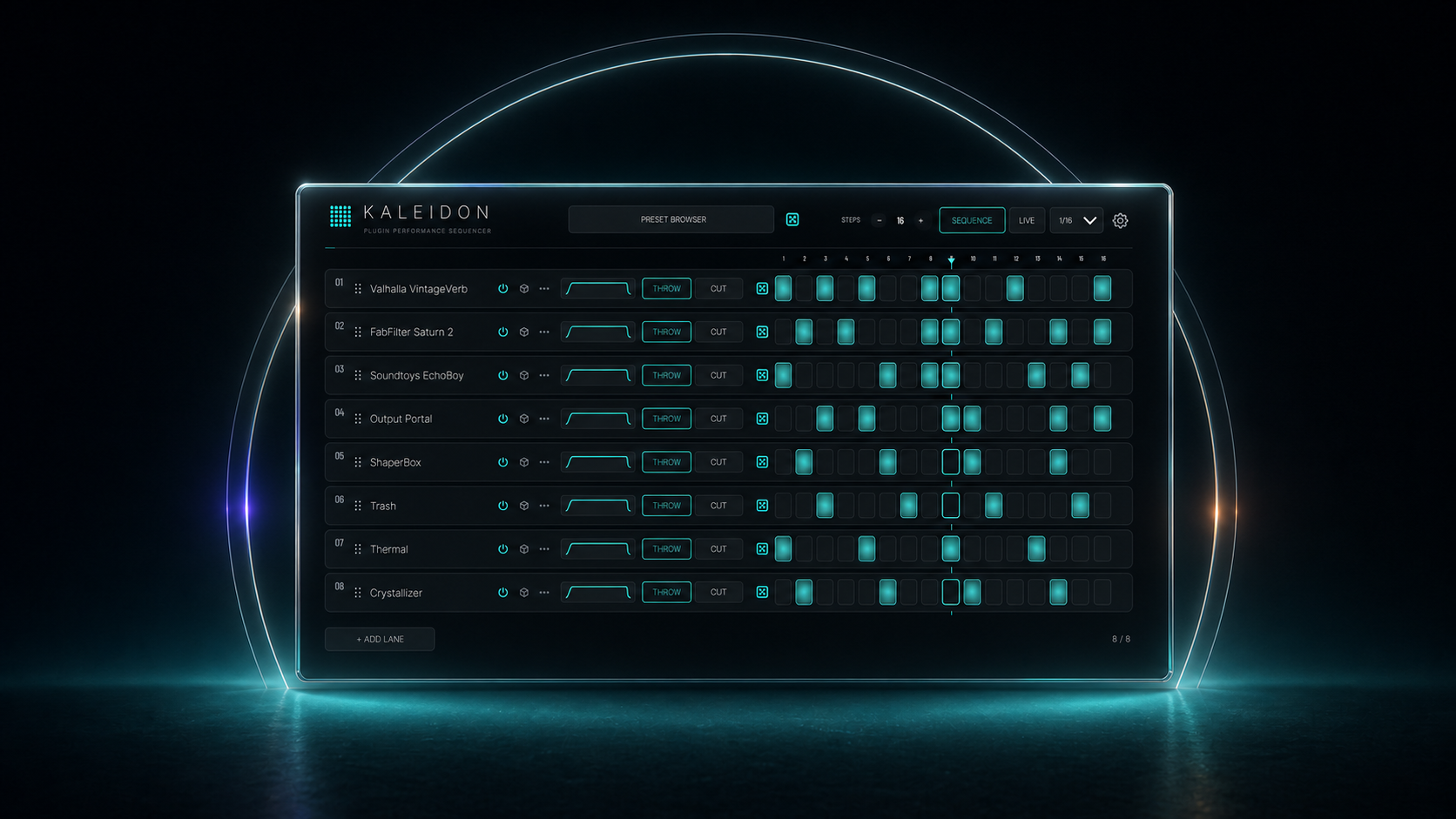 Image 2 of 3
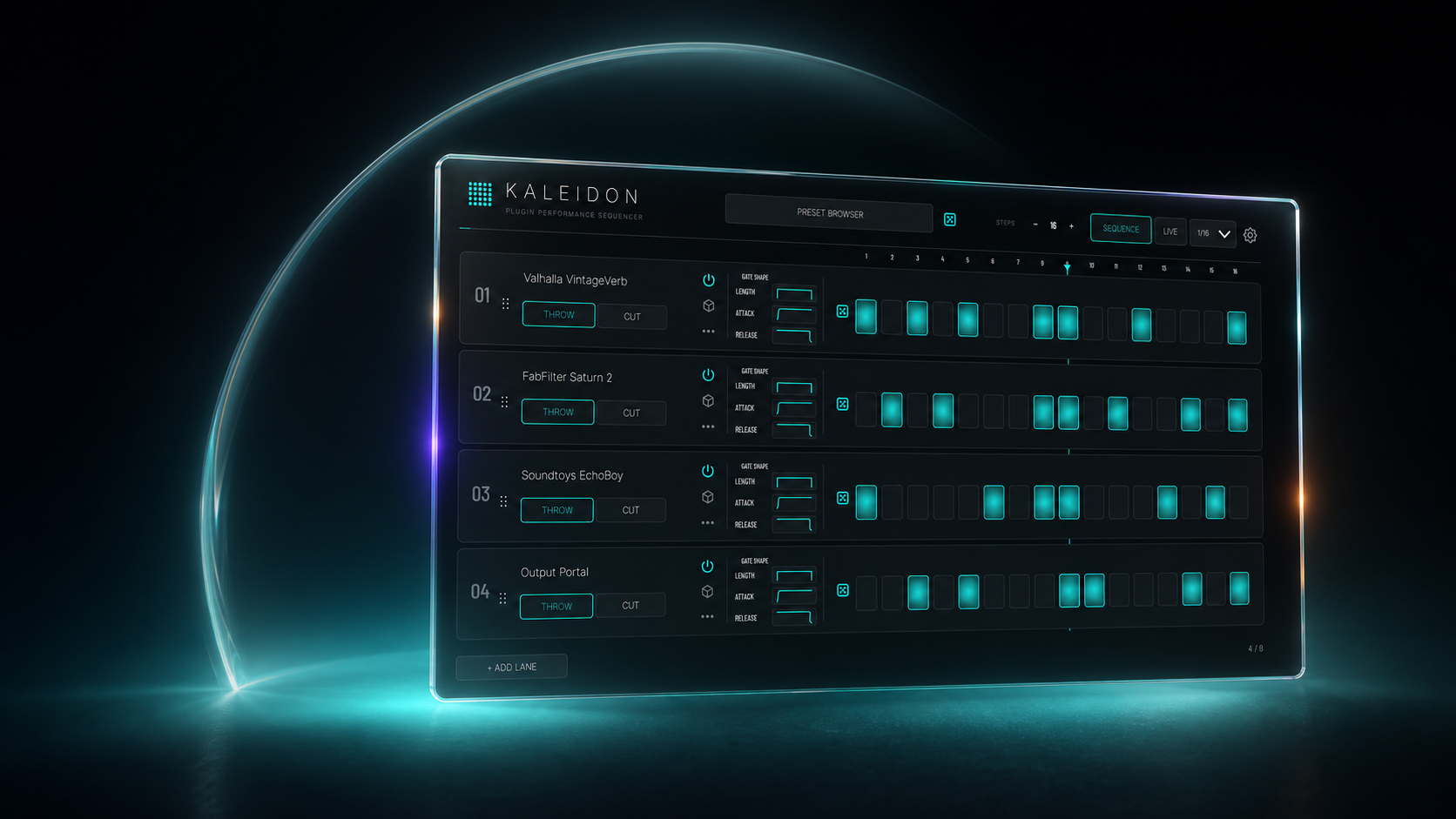 Image 3 of 3
Turn your effects into rhythm.
Load your favourite effects into Kaleidon, then choose when they hit. Create rhythmic patterns, trigger effects from MIDI, or blend four effects with the XY diamond—all inside one audio plug-in.
Make the processing part of the performance.
Catch the end of a phrase
Bring your delay or reverb in on selected words, snare hits or chords.
Give a loop a new groove
Add distortion to offbeats, repeat a drum hit, or cut rhythmic gaps into a sustained part.
Keep a texture moving
Move between four effects by hand, or let XY Auto Motion evolve the blend.
Build your sound, then choose how it moves.
Load and reorder your effects and Kaleidon’s built-in tools in up to eight shared rack slots.
Write the rhythm
Give each effect its own pattern of 8–24 steps. Run lanes at half, normal or double speed, synced to your DAW.
Play the moments
Assign effects to notes on a keyboard or pad controller. Hold to engage; release to return dry.
Move between effects
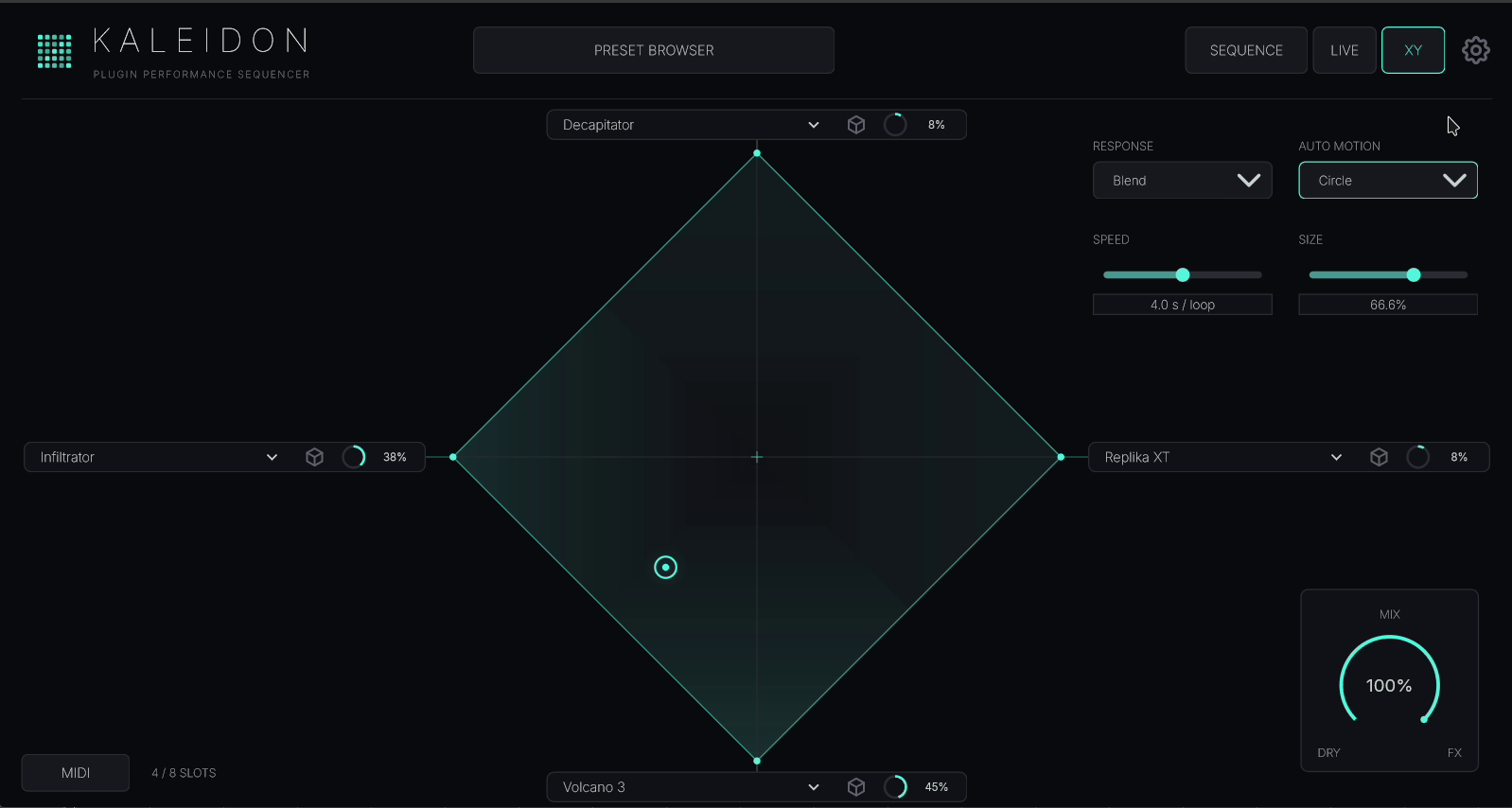
Assign four effects to the diamond. Blend them by hand, with MIDI, or through automatic motion.

Use your own VST3 effects on Windows, or VST3 and AU effects on macOS. Third-party effects shown in the examples are separately owned and are not included.
Four effects under one hand.
Move toward a tip to focus on one effect, or between tips to blend them. Auto Motion keeps the sound moving, with Speed and Size setting the pace and reach. Delay and reverb tails continue as you move away.
Start making patterns straight away.
Four built-in tools work alongside your plug-ins in the same rack. No separate installation or scan needed.
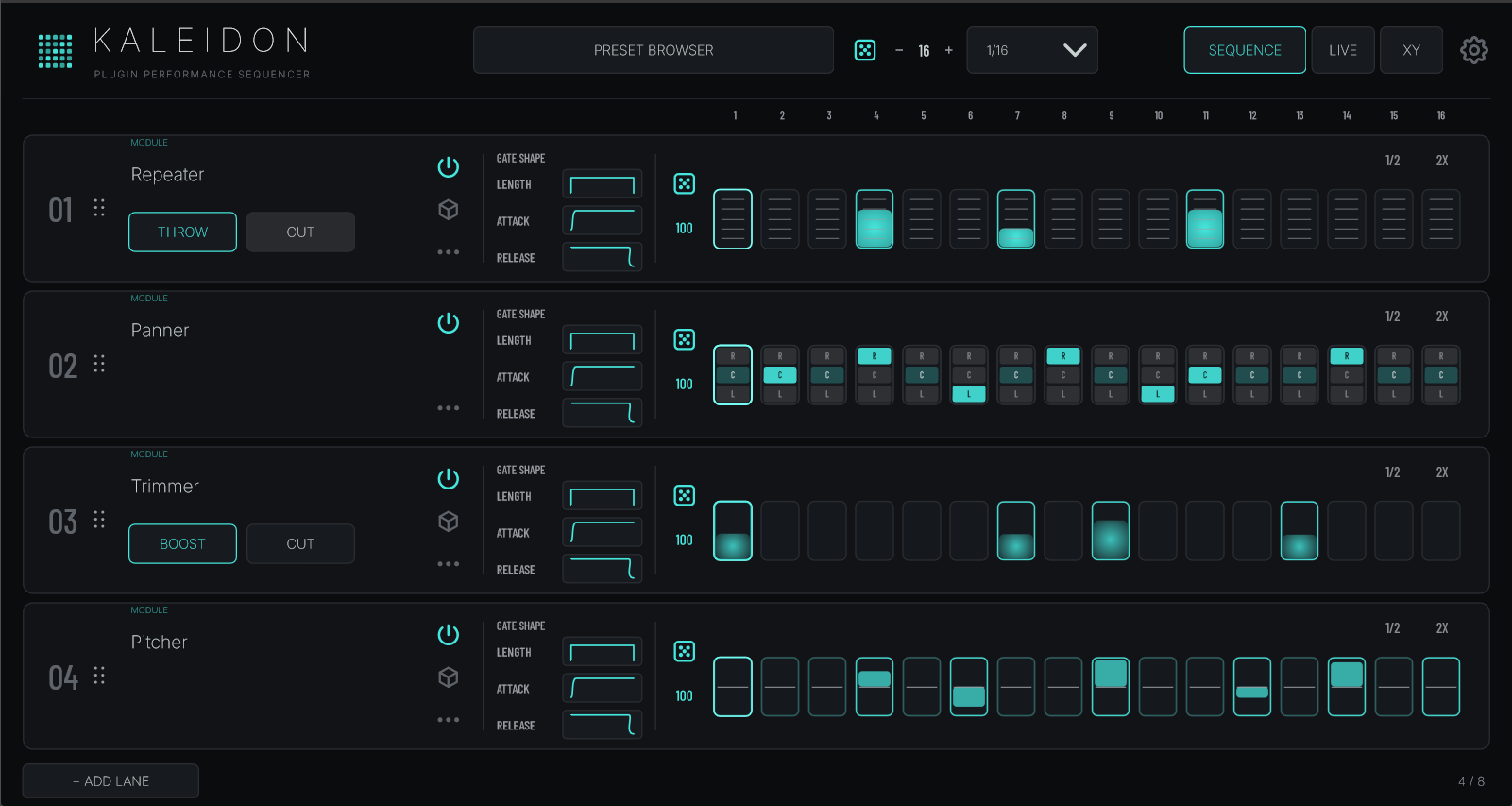
Repeater catches slices of audio for rhythmic repeats and stutters.
Trimmer creates level accents, pulses and dropouts.
Panner places individual steps left, centre or right.
Pitcher shifts steps up or down in whole semitones.
Pitcher works in Sequence and Live, but is not available in XY. Panner’s step positions are sequenced; it stays centred in Live and XY.
Fine-tune the performance.
Shape the timing and strength of each hit
For hosted effects, THROW brings processing in on lit steps; CUT removes it on those steps. Drag a lit step to set its Wet level. Gate Shape controls sharp hits and gradual fades.

Global timing runs from 1/4 to 1/32, with triplet options. Generate a fresh pattern for one lane or the whole rack, with adjustable density.
Perform with MIDI and automation
Hosted effects support full-wet hits or velocity-controlled strength in Live. Repeater can use velocity to choose repeat rates; Pitcher uses it to set the pitch shift. Route MIDI to Kaleidon from your DAW.
Learn MIDI controls for XY position and Mix, or record them as host automation. Each rack slot’s Wet level can also be automated.
Explore the built-in tools
Repeater offers straight, triplet and dotted subdivisions from 1/2 to 1/64, tied steps for longer repeats, and rate control from MIDI or XY. Trimmer shapes level per step. Panner sequences left, centre and right. Pitcher has a selectable range of up to 24 semitones in either direction.
Save and recall your complete rack
DAW projects and Kaleidon presets keep your loaded effects and their settings, rack order, patterns, timing, gates, MIDI assignments and XY setup. Repeater starts with fresh audio capture history when restored.
Compatibility
- Plug-in formats
- Windows VST3 · macOS VST3 and Music Effect AU
- Mac support
- Intel and Apple Silicon
- Effects you can load
- Windows: VST3 effects. macOS: VST3 and Audio Unit effects. The four Kaleidon Modules are included; third-party plug-ins are not.
- Your DAW
- Use a host that supports the Kaleidon format for your platform. Route MIDI to the effect to use Live performance.
- Pro Tools / AAX
- Not supported.